



Infra
Structure
Purpose
why this existsThe goal of this setup is simple: own more of my digital life. Photos, files, documents, websites, media, and game servers do not have to live under a handful of giant companies just because that is the default.
This system was also a learning experiment for me, that's why, at least currently, all services are closed and used just by me. It replaces several cloud subscriptions with hardware I understand, services I control, open source apps that are verified, and backups I trust, because I did them :)
It is not enterprise-grade, I'm broke. It is built on constrained hardware: a €75 optiplex, 3 €40 4tb SAS drives, a €10 LSI 9211 from AliExpress, and an emergency €30 PSU. It works, and that is what I care about.
Hardware
current buildDell OptiPlex 7020 SFF
Repurposed office machine running Debian 12. Small, efficient and cheap I thought. Then I discovered Dell's proprietary nature. Never trust a company.
i5-4690 · 16GB DDR3
Enough (if not overkill) for a personal cloud, media services, game servers, web hosting, and light document collaboration.
Samsung 840 Pro 128GB
Used for the operating system and service management, while persistent service data lives on the SAS storage.
LSI 9211-4i
SAS HBA for the external enterprise drives. Designed for server airflow, Dell's case has stagnant air, i burnt my finger on it once.
2× HGST HUS726040ALS210
Two 4TB SAS drives: one primary storage disk and one versioned backup disk. Both are externally mounted because the OptiPlex case is not a datacenter chassis, sadly.
Corsair VS450
The OptiPlex PSU powers the host; the Corsair PSU powers the external drives. Dell's SATA wires don't support 12v output, oddly enough. A bike trip to D*rksland was necessary.
Storage layout
no RAID, on purpose
The storage layout is deliberately simple. The main disk is mounted at /srv/storage and holds the websites, service data, media, photos, cloud files, and Docker-backed application data.
The backup disk is mounted only during backup runs at /srv/backup. It stores versioned rsnapshot backups with hardlinks, so unchanged files do not get duplicated every night.
A third 4TB SAS disk is kept as a manually rotated cold backup. It is stored in a dry plastic box with silica packets in the shed, so it is physically separated from the server and protected against the house burning down, malware, and rm -rf!
RAID redundancy is mostly unnecessary for this personal, small-scale cloud. Being set back to last night is annoying, but not catastrophic. A disk dying is a nuisance; most missing files are likely still on my laptop, PC, or phone.
Versioned backups are more useful here than RAID1, because they protect against accidents, bad syncs and deleted files. RAID1 would offer me redundancy, if a drive fails it would be easy to replace. But, for my scale, the replacing itself is the bigges annoyance, the 2 files I probably have on my PC, don't matter as much. Everything else is backed up on the backup drives.
Hosted services
software stackImmich
Self-hosted photo and video backup, replacing Google Photos for my own library.
Nextcloud
Personal cloud storage, file sync, documents, and general replacement for big-tech drive services.
Collabora
Document editing integrated with Nextcloud. Operates on the superior LibreOffice.
Jellyfin
Self-hosted media streaming for my own library. Music, movies, shows.
Crafty
Panel for managing Minecraft servers. Honestly works better than most hosting companies
Minecraft
Hosted game server for friends and experiments. A nice to have, easy addition. Runs excellent on this hardware.
Project Zomboid / DayZ
Additional game server hosting, depending on what people are playing.
Static sites
deltie.net and tavimedia.net, served through nginx and Cloudflare Tunnel.
Backup logic
full nerd version
Backups are handled by a custom systemd timer and shell script. Every night at 03:00, the backup job wakes the backup disk, mounts it at /srv/backup, verifies the expected UUID, and runs rsnapshot.
Before the filesystem snapshot is taken, the Immich and Nextcloud database containers are paused. This prevents copying database files while they are actively being written. After the snapshot completes, the containers are unpaused automatically, even if the backup job exits unexpectedly.
The script always runs a daily snapshot. On Sundays, once enough daily snapshots exist, it also rotates a weekly snapshot. On the first day of the month, once enough weekly snapshots exist, it rotates a monthly snapshot.
After the backup finishes, the script syncs writes, unmounts /srv/backup, and attempts to spin the disk down. The SAS drive is not always cooperative about spin-down, but the mount/unmount and versioned backup logic works cleanly.
Photos
current physical setup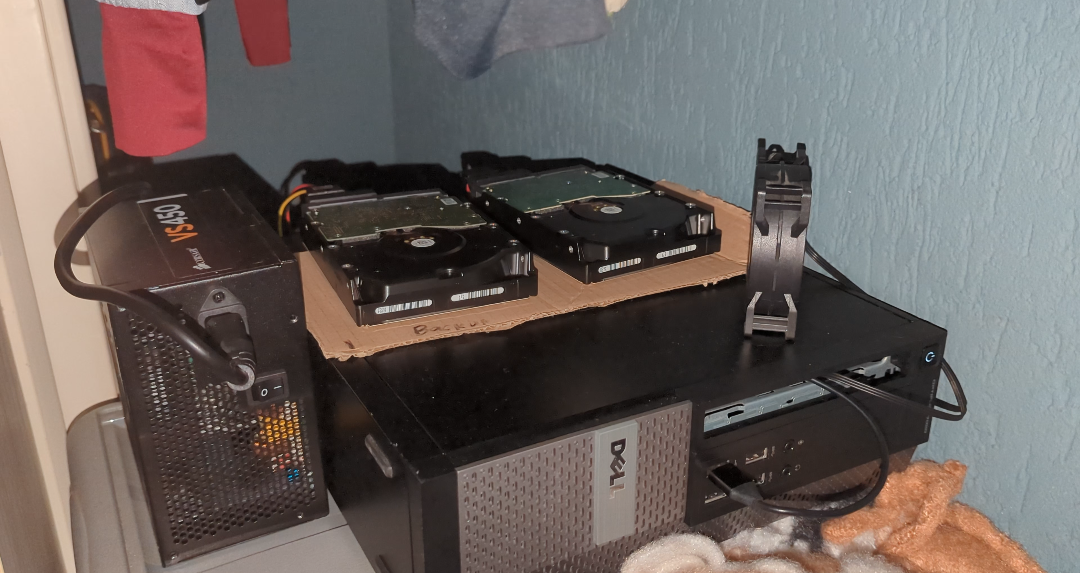
The current setup: OptiPlex host, external drive power, SAS drives, and the general shape of my tiny cloud republic.
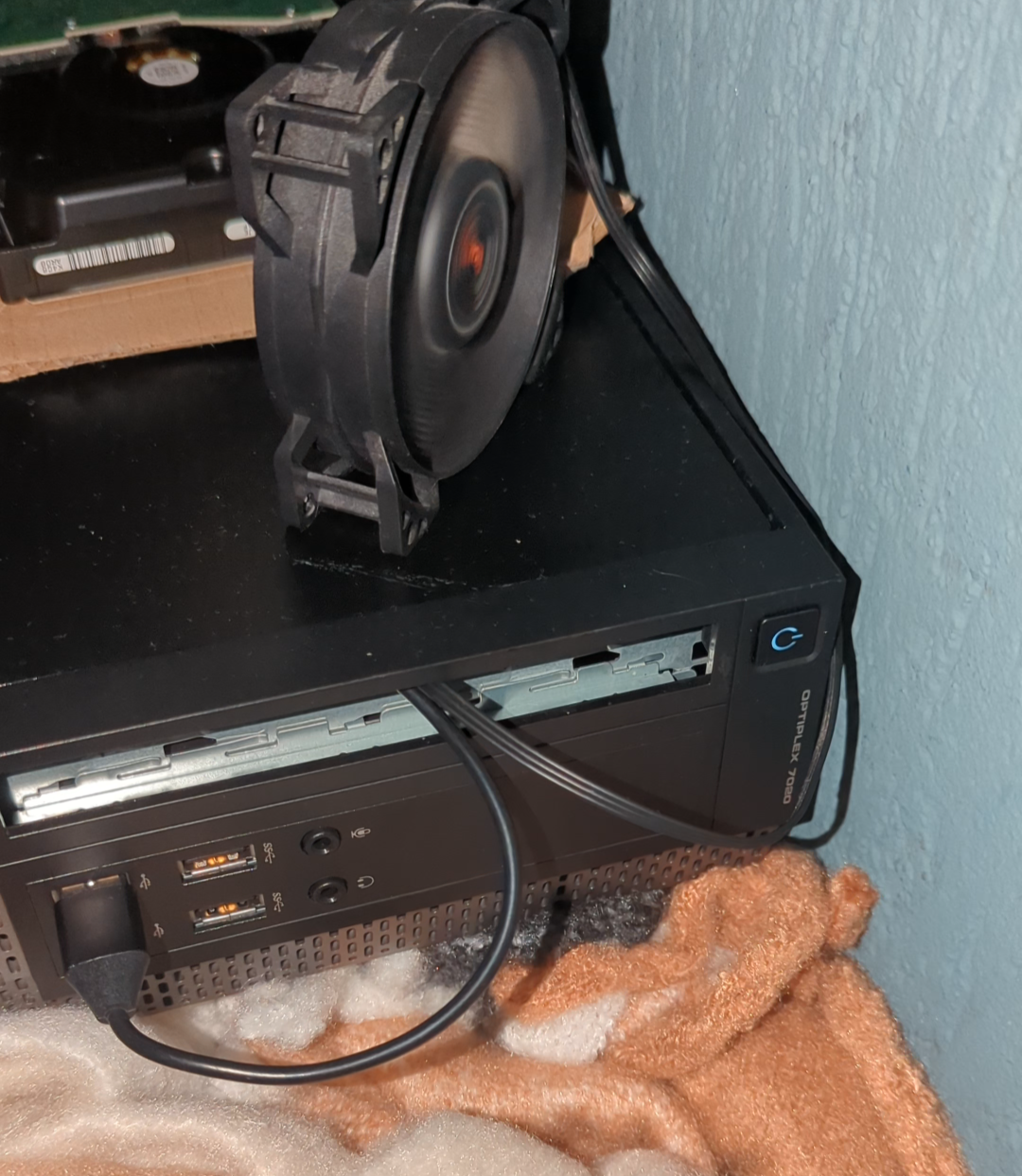
Overheating drives caused my sleep schedule to kernel panic at 2 am, i performed wire surgery, and voila, cooling.
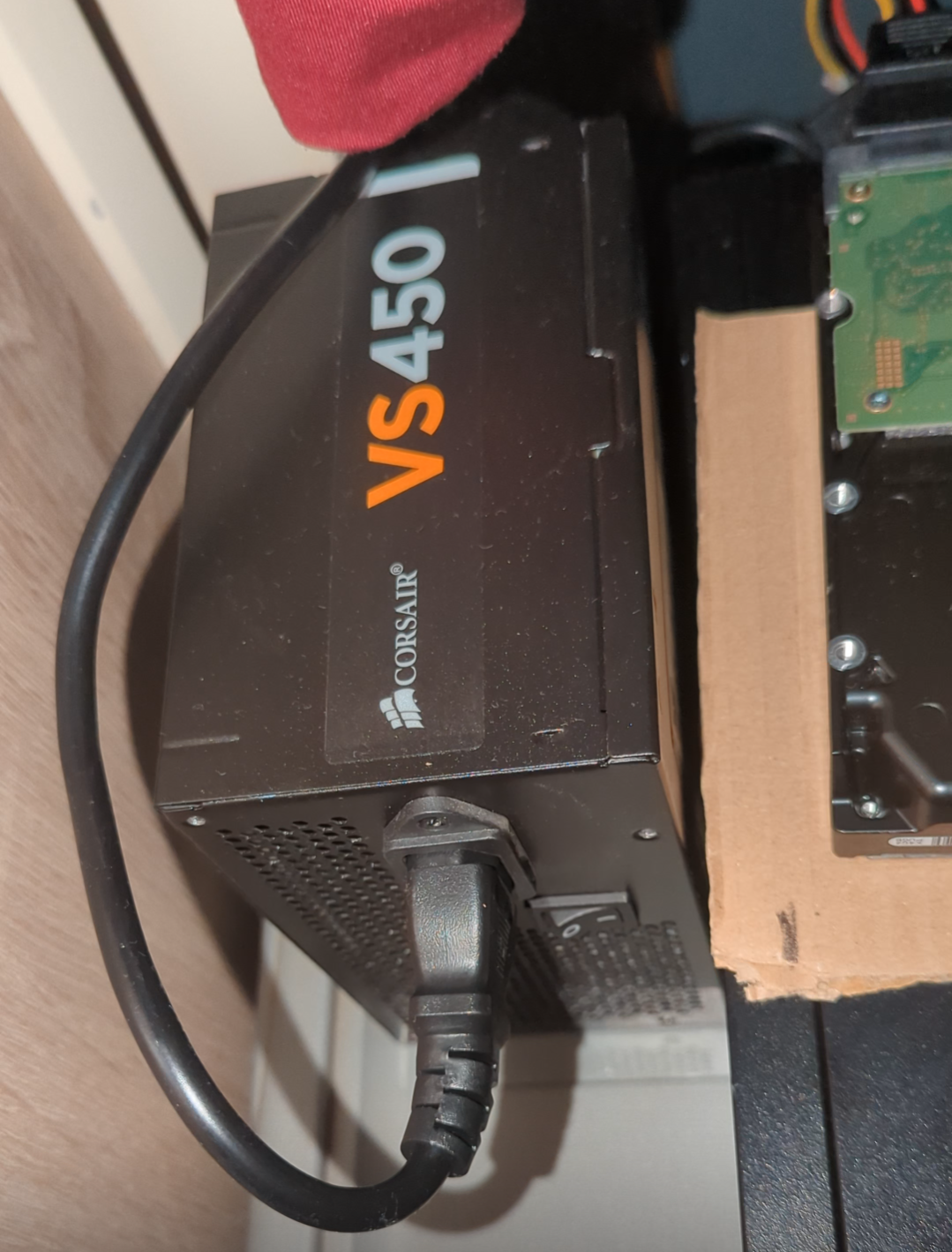
The Corsair VS450 handles drive power because the Dell PSU did not appreciate enterprise SAS ambitions.
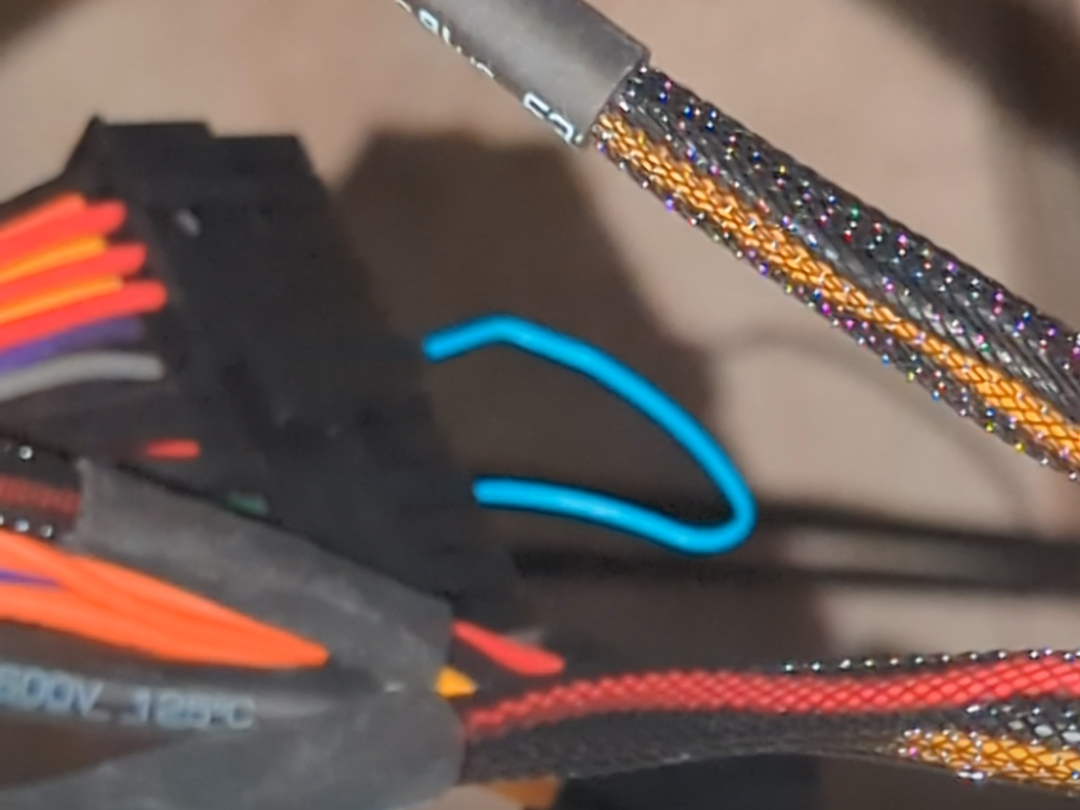
The PSU jumper situation. This will be formalised into a safer insulated bridge, because paperclips are not a lifestyle (according to IT boyfriend).
Cost overview
cheap hardware, real infrastructureThe current setup cost roughly €260 in direct hardware. That includes the OptiPlex host, SAS controller, enterprise disks, cabling, and the external PSU.
This is not enterprise accounting. It is a realistic homelab estimate: cheap used hardware, manual labour, repairs as needed, and enough redundancy for a personal cloud.
The useful comparison is not “can I beat Google at planetary scale?” but “can I replace several subscriptions, own the data, understand the stack, and keep the cost sane?” For my use case: yes.
Approx. €260 total
- OptiPlex 7020 SFF: €75
- LSI 9211-4i HBA: €10
- 3× 4TB SAS HDDs: €120
- Cabling / adapters: €25
- Corsair VS450 PSU: €30
Electricity and storage price
rough model~€9–13/month
Estimated at 35–50W average draw, running 24/7, with electricity priced at €0.35/kWh.
~€4.33/month
€260 spread across five years. This assumes the non-HDD hardware survives the full period.
~€5/month
Assumes replacing the 3× 4TB SAS disks every two years at roughly €120 total.
100GB: ~€1/month500GB: ~€4.50/month1TB: ~€9/month
Real access is still by request only. Another option is simple: buy me a suitable drive, and I host your storage allocation with a smaller yearly maintenance fee.
Future work
stabilisationDrive frame
Build a small upright frame for the external drives, mount the fan properly, and reduce cable strain.
Proper jumper
Replace the temporary paperclip-style PSU jumper with a clean, insulated bridge and better physical protection.
Cleaner chassis
Eventually migrate to a more standard desktop/server chassis once old hardware becomes available.